A free plugin for founders and team leads who write in Obsidian
Stop rewriting your Obsidian notes for your team.
Send them the note itself. They edit it in the browser, and every edit is back in your vault within 60 seconds. It's encrypted, so even our server can't read it.
- Free plugin, 3 shared pages free
- End-to-end encrypted
- Readers don't need Obsidian
- Built by a three-time CTO
At a glance
Everything it does, on one screen

Your team types on the page. Within 60 seconds the edit is in your vault, merged line by line.
End-to-end encryptedSealed with AES-256 in Obsidian, before it uploads. Our server stores only ciphertext.
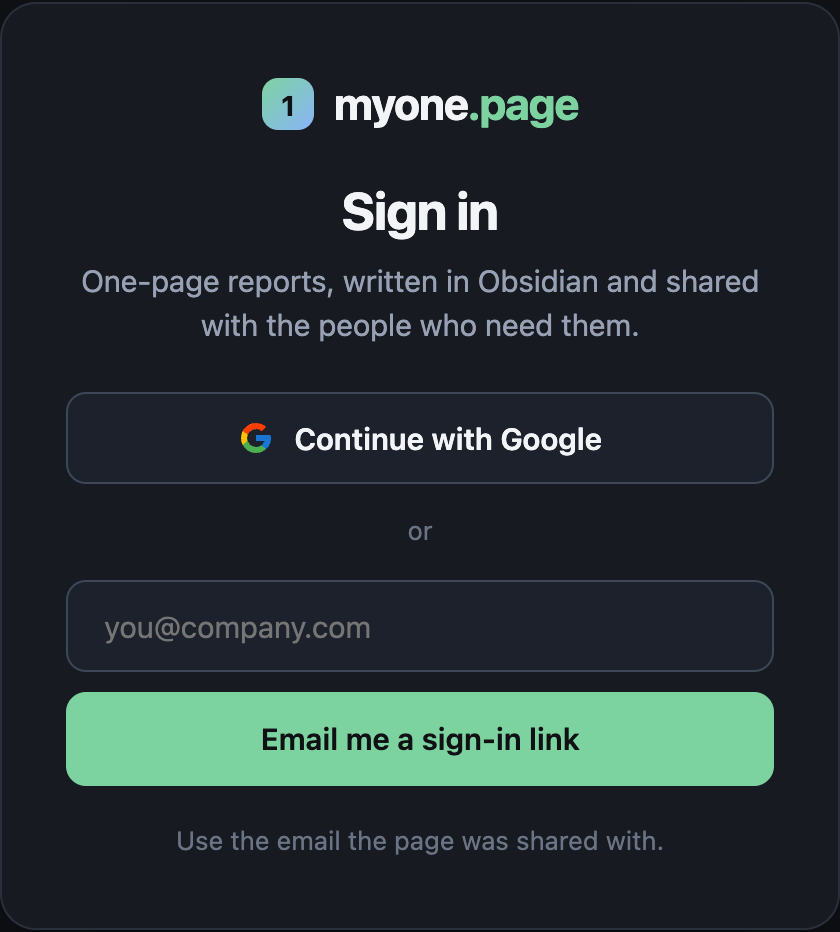
They open a link and sign in with Google or email. No Obsidian, no seat to pay for.
AI writes the pageTurn rough notes into a finished page with Claude, ChatGPT or any chat.

Stat tiles, cards, tables, pie and bar charts, Gantt timelines, in 7 themes.
Free to startThe plugin and 3 shared pages are free, for good. Unlimited sharing from $1.99 a month.
The problem
Sharing an Obsidian note today means rebuilding it in Notion, Docs or Gamma
The Q4 plan is finished in Obsidian, with headings, three tables and your callouts. To get it in front of the team you paste it into Google Docs or Notion. The tables break, the callouts turn into plain text, and you spend 30 minutes copying something you already finished.
Then the comments land in the Doc, not in your note. By week two there are two plans, and Claude, which reads your vault when you ask "what did we decide?", reads the stale one.
You rebuild the note in someone else's editor, and there are two copies from the first comment on. $10–12 per seat, every month.
A public website that is read-only. You can't share one page with three people, and nobody can edit it. $8–10 a month.
A snapshot that's out of date the moment you change one line. Replies come back by email, and you copy them in by hand.
It looks great, but you made it a second time in a different app, and it isn't in your vault.
Shares the note itself. There is no copy, so there's nothing to merge: the edits come back into the one plan you have.
How it works
Share an Obsidian note with your team, and their edits come back into it
Think of a shop window. People on the street see what's inside, and with myone.page they can also write on the glass. Whatever they write goes straight through to the note behind it, which stays in your vault. There's no export, no second document, and nothing to merge by hand.
q4-plan.mdmyone.page/p/…- Write. Add
myone.page: trueto any note and it opens as a styled page. Or start from a template in the plugin, or let AI write it. - Share. Add
share: newand list who may edit or read: emails, a whole@company.com, or anyone with the link. The link is copied for you. - Round trip. Your team clicks into the text and types. Within 60 seconds the edit is in your note. Edits to different lines merge automatically. If you both changed the same line, their version is saved next to your note, so nothing is ever overwritten.
Why nobody else does this: on 7 Oct 2026 we checked all 8,500+ Obsidian community plugins. Not one turns a note into a shared page whose web edits come back into the note.
Install the free pluginShare your first page in two minutesSecurity
End-to-end encrypted: we can't read your pages
- The key is in the link. It sits after the
#, and browsers never send that part to a server. We store and serve ciphertext only, including the page history. - Every page is private unless you open it up. A page that isn't shared with someone looks exactly like one that doesn't exist.
- Nothing leaves your vault without
share:. Delete the line and the page goes offline. If a link leaks, setshare: newagain and the old link stops working. - A standard you can check. AES-256-GCM through the browser's built-in Web Crypto, no home-made cryptography. Each page's address is sealed into its ciphertext, so one page's text can't be passed off as another's.
- What we can still see: who you share with, when a page changes, and how big it is. Never titles or text.
Write it with AI
Let Claude or ChatGPT turn your rough notes into a one-pager
- Make a page with AI on any note copies a request: the page format and your note.
- Paste it into Claude, ChatGPT or Gemini, then paste the answer back.
- It's a page, as a new note next to yours. Yours stays as it is.
Or give Claude the format once, as a skill, and just ask for a one-pager. Claude Code, Codex and Cursor can write pages straight into your vault. How it works, or read the step-by-step guide to writing a one-pager with AI.
See it first
Open seven finished one-pagers. No sign-in, nothing to install.
Each one is a single Markdown note, written once in Obsidian. This is exactly what your team opens from a link. Here they're read-only; the people you share with can edit them. Six of them are also free templates in the plugin, and there are five more: a project status report, a weekly update, a project brief, a one-page business plan and a company one-pager. Use this template on a page opens it in Obsidian as a new note. New to the format? Start with what goes on a one-page report.
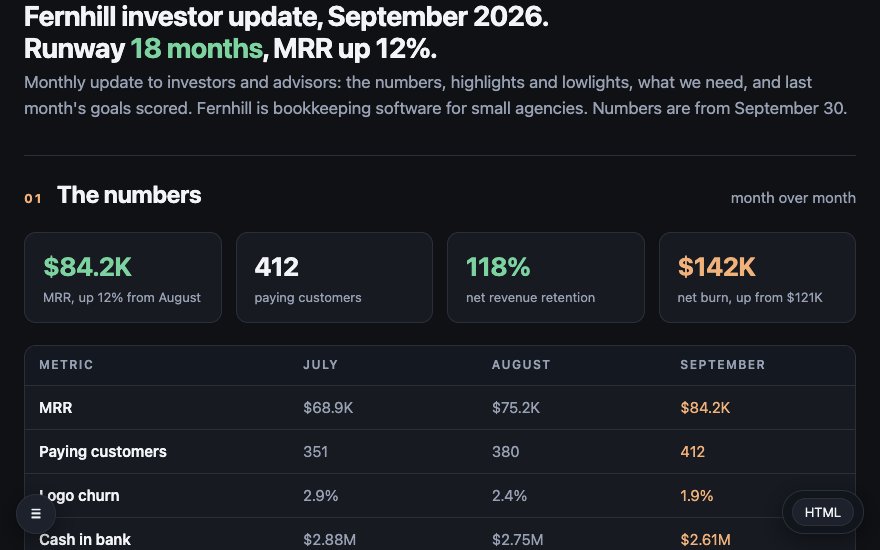 For foundersMonthly investor update
MRR, burn and 18 months of runway in four numbers, highlights and lowlights, three asks and last month's goals scored, in the format YC recommends. One link to every investor, instead of an email they skim.
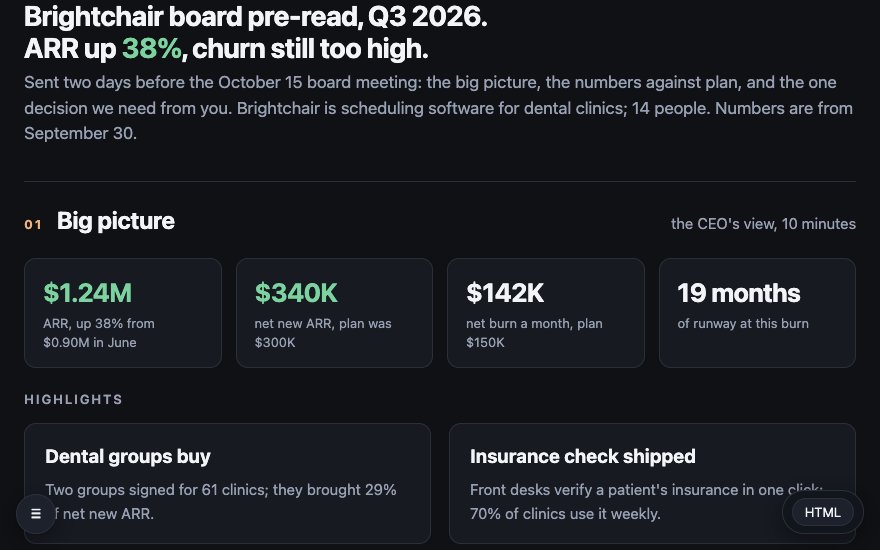 For founders with a boardBoard pre-read
The big picture, every number against plan and one pricing decision, laid out the way Sequoia suggests. Sent two days ahead, so the meeting is spent on the decision.
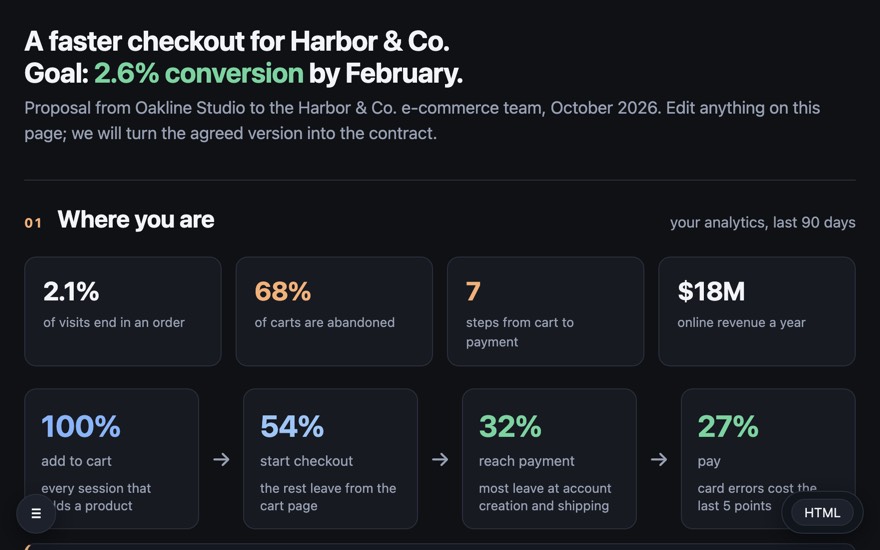 For agencies and consultantsClient proposal
A $96K checkout project with the funnel, an 8-week timeline and three prices. Make the client an editor and they change the scope on the page, not in a reply-all.
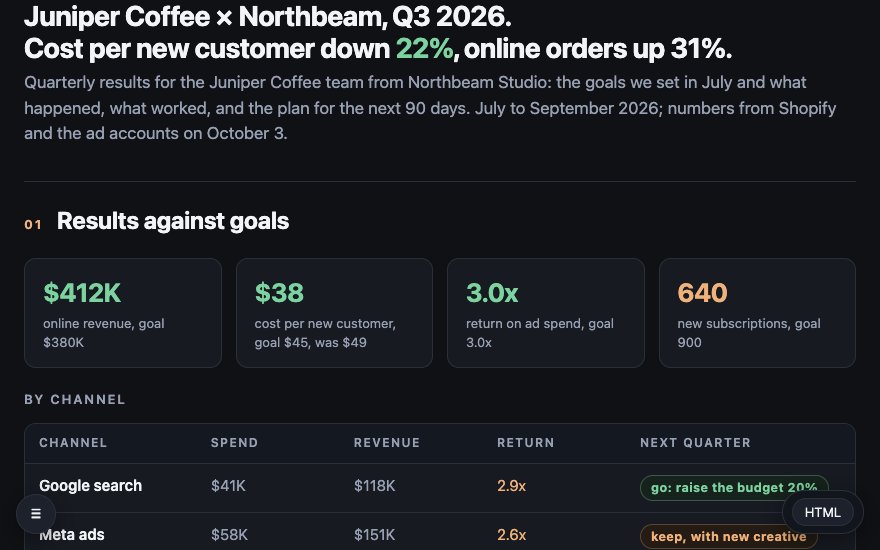 For agenciesClient results report
A quarter of results against the goals, spend and return by channel, what worked and the next 90 days on a timeline. The client sees it live, not as a PDF in their inbox.
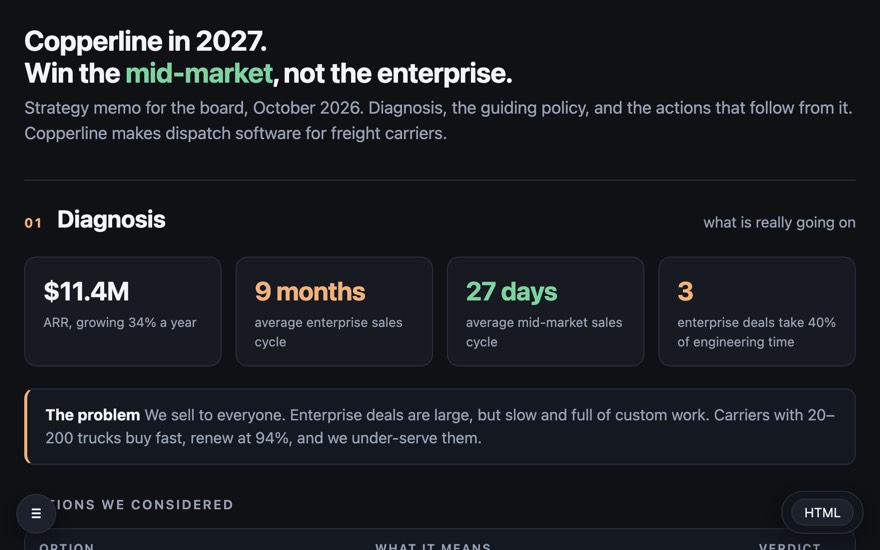 For CEOs and boardsStrategy memo
Diagnosis, guiding policy and four actions, with a lean canvas and the 2027 plan. The page the board reads before the meeting, not during it.
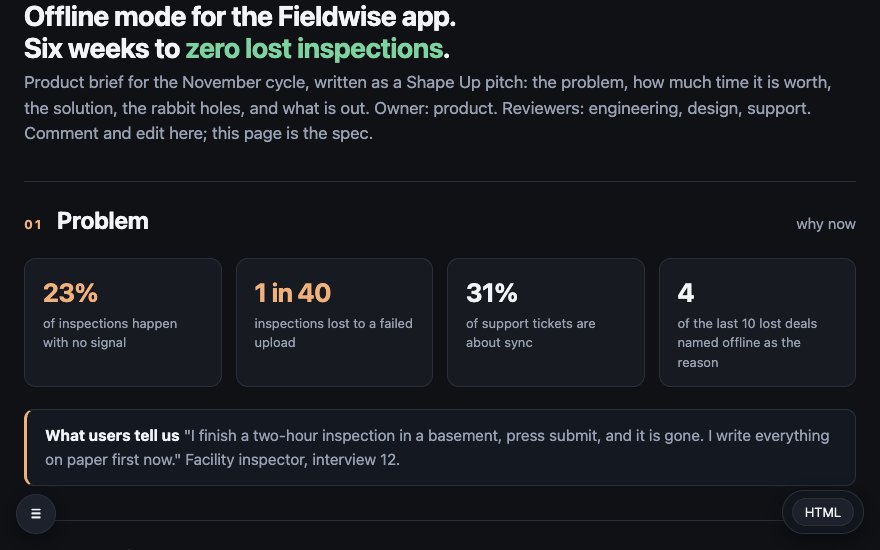 For product managersProduct brief
A Shape Up pitch: the problem in four numbers, a six-week appetite, the solution, rabbit holes and no-gos. Engineering edits the spec on the page, and it stays in your vault.
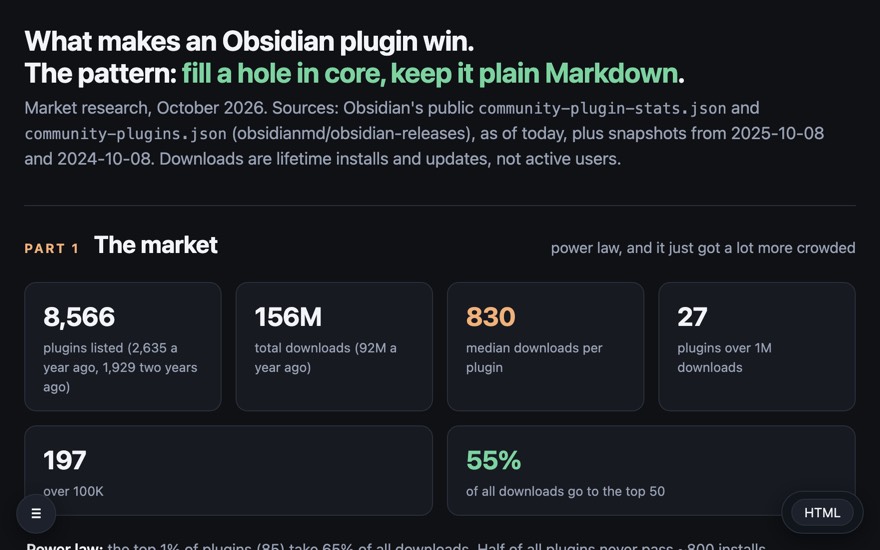 For researchThe Obsidian plugin market
8,566 plugins and 156M downloads: the top 20, the fastest risers and the seven patterns behind the winners. Claude drafted it from public data in one sitting.
In seven themes, each light and dark
Pick one in the plugin's settings and every page takes it: its own corners, borders, shadows, spacing, fonts and headings. Minimal, GitHub, Things, Cupertino and Claude Warm follow the Obsidian themes of those names; Paper reads like a printed report. ☀ / ☾ in a page's bar switches light and dark, and your readers can switch it for themselves.
Will your notes look like this? Yes. These use the same blocks as the free plugin. Add one line to a note and it renders the same way, in Obsidian and on the web.
Install the free pluginEvery block and theme is freeWho builds it
Built by a three-time CTO, held to production standards
“In September I had a Q4 plan and two town-hall pages to get in front of my team. I'd already written all three as notes, and I wasn't going to rebuild them in Notion.
So I built a renderer that runs on the note itself. Then the team wanted to edit, so I made their edits come back into my vault.
Every strategy page we use now starts as a note, usually one Claude drafted, and it stays a note.”
- Tested end to end, in real apps. Before a change to sharing ships, 100+ automated checks run a real Obsidian and a real Chrome against a fresh copy of the server: the first share, edits syncing both ways, conflicts, sign-in, the free limit, restarts.
- Open code where your notes live. The plugin's source is public on GitHub under the MIT license, so you can read exactly what gets encrypted and what gets sent.
- No silent overwrites. Every save carries the version it started from, and a save made over someone else's is refused instead of replacing it.
- Checked on every release. Type-checked, linted with Obsidian's own review rules, and the release built by GitHub from the tagged code.
Pricing
Free to start. Unlimited sharing from $1.99 a month.
Free, for good: every block and theme, Make a page with AI, HTML export and 3 shared pages.
Install the free pluginFounding price, for the first 100 members
Founding members pay $1.99 a month, locked for as long as they stay subscribed. After the first 100 the price is $3.99.
- Unlimited shared pages
- Pages open to anyone with the link, no sign-in
- The builder's direct line: what founding members ask for gets built next
Secure checkout by Stripe. Right after paying you get a sign-in link by email. In Obsidian, open a shared page with its globe button and sign in with the same email: the plan covers it.
For comparison: Notion Plus is $10–12 per seat, Obsidian Publish $8–10 a month, Gamma $8–10. None of them brings edits back into your note, and none is end-to-end encrypted. The people you share with pay nothing.
The “first shared page” guarantee
Share one real plan with your team. If it doesn't save you the copy-paste, reply to your Stripe receipt within 30 days and you get every cent back. You don't need to give a reason.
Leaving costs you nothing anyway, because your pages were Markdown notes in your own vault all along.
Why only 100? Founding members get the builder's direct line, and what they ask for gets built next, like reordering blocks by touch on phones, a history viewer and live presence. That works for 100 people, not for 1,000.
FAQ
Questions people ask before they share
Do the people I share with have to pay, or install Obsidian?
No. They open the link and sign in with Google or any email address. On a page open to “anyone” (a paid plan), readers don't even sign in. Only you need the plugin, and your first 3 shared pages are free.
Can you read my pages?
No. Each page is encrypted in Obsidian before it uploads, and the key lives only in the link after the #, which browsers never send to a server. To be precise about the limit: the page's JavaScript comes from our server, so you're trusting that code, as you do with any web app.
What if two people edit at the same time?
Every save carries the version it started from. If someone saved in between, the save is refused and the edits stay in that person's browser, so nothing is silently lost. Between the web and your note, different lines merge automatically. If the same line changed in both places, the web version is saved next to your note as a separate file.
Why so cheap? What's the catch?
There isn't one. The server stores small encrypted files, so it costs very little to run. The low founding price buys us 100 people who'll say honestly what to build next.
Does Obsidian have to be open for edits to come back?
Yes, on at least one of your devices. The plugin fetches web edits every 60 seconds while Obsidian runs (our server can't write into your vault). Edits made while it's closed wait on the server and land the next time you open Obsidian.
What if myone.page shuts down?
Your pages are Markdown notes in your vault and always were. You lose the share links, never the content.
I don't use Claude. Is this still for me?
Yes. Any AI chat works: Make a page with AI copies a request you paste into ChatGPT, Gemini or any other chat, and turns the answer into a page. Or write pages by hand: the format is plain Markdown with a few callouts. How it works.
Does it work on my phone?
Yes. Reading pages and editing text work in a phone browser and in Obsidian mobile. Reordering blocks by touch is coming next.
Is it stable enough for real work?
The builder's team runs its strategy pages on it every day, and every change to sharing passes 100+ automated end-to-end checks in a real Obsidian and a real browser before it ships. It's early access, though. If something breaks, you're talking to the CTO who built it, and who will fix it.
Your next plan can stay a note and still reach the whole team
Write it once in Obsidian, send the link, and let the edits come back to you. The plugin and your first 3 shared pages are free.
Install the free pluginShare 3 pages free · no sign-up, no card Unlimited sharing from $1.99a month, founding price · 30-day refundP.S. If you skipped to the end: myone.page is a free Obsidian plugin that shares a note as a page your team edits in the browser. Their edits come back into the note within 60 seconds, encrypted so not even the server can read it. The plugin and your first 3 shared pages are free. Unlimited sharing is $1.99/month for the first 100 founding members, then $3.99, with a 30-day, no-questions refund.